 |
|---|
 |
 |
 |
 |
 |
4.2 Short Description PROFIBUS Communication Module, BOP
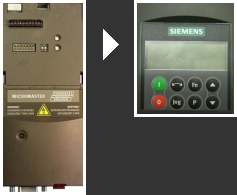
The Profibus option module requires the BOP (Basic Operation Panel) for commissioning
With the Basic Operation Panel, individual parameter settings can be made. Values and units are displayed on a 5-digit display. One BOP can be used for multiple inverters.
The PROFIBUS communication module is used to connect drives of the MICRO-MASTER 4 series to higher-level automation systems via PROFIBUS-DP.
Key Features:
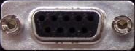
- Connection to the PROFIBUS system is made via a 9-pin Sub-D socket according to PROFIBUS standard.
- All RS485 interface connections are short-circuit proof and electrically isolated.
- The PROFIBUS option module supports baud rates from 9.6 KBaud to 12 MBaud.
- A fiber optic connection can be made via Optical Link Plugs (OLPs) or Optical Link Modules (OLMs).
Interfaces, connections, and controls on the Profibus option module and the BOP.
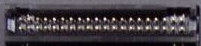
Connection for the BOP. The same connection is also used to install the option module on the Micromaster.
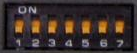
A hardware address can be assigned here using DIP switches. If a hardware address is assigned here, parameter P0918 is locked.
Indicator LED (for error diagnosis or operational status)
9-pin SUB-D Profibus interface is located at the lower part of the option module.
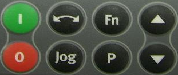
BOP programming keys:
Green = On,
Red = Off,
Double arrow key = Change rotation direction,
Jog = Test key
Fn = Fine adjustment of parameters
P = Parameter key (select parameter)
Arrow up, Arrow down = Parameter down, Parameter up